
How to Watch the 2026 Conference Sessions
If you attended the 2026 US National Conference in-person or via livestream, you can still view the sessions through December 5, 2026 using our conference app or logging into the Attendee Hub. Read the information below to find out how.
How to Watch
You can view the livestream recordings two ways. Both require you to log in with an authorization code sent to the email address you registered with.
Option 1: The Aglow Events App
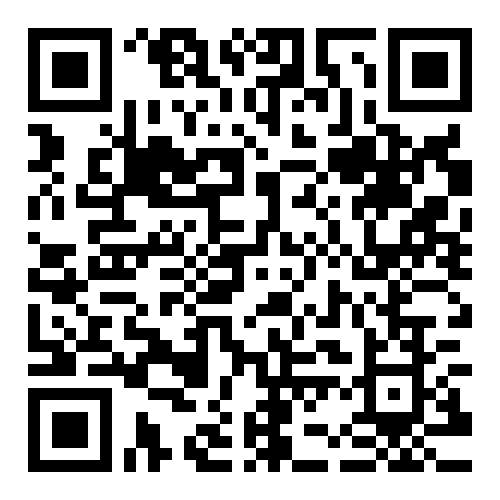
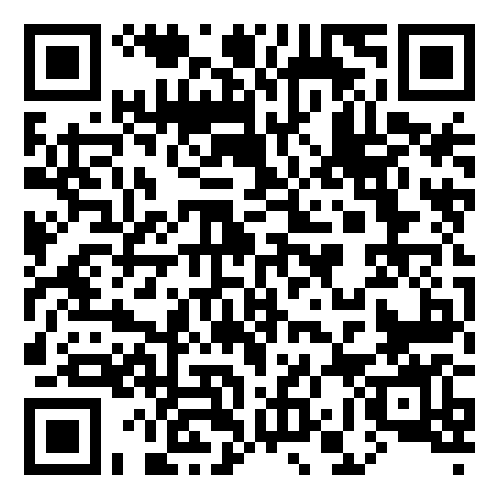
- Download the Aglow Events app — Apple App Store or Google Play, depending on your device. You can also use the QR codes below if you’ve got your phone handy.
- Sign in using your authorization code. You’ll only need to do this the first time you open the app — after that, you’ll be signed in automatically.
- Tap Schedule and select the session you’d like to watch.
Tune in 10 minutes before the scheduled start time to catch special features and a welcome from our livestream host.
Apple Store
Google Store
Option 2: The Attendee Hub
The Attendee Hub is a private site exclusively for registered attendees — in-person and virtual alike — separate from our public conference website. It’s the best option if you’re gathering with friends to watch on a large screen.
- Click here to access the Attendee Hub.
- Enter your name and email address (be sure to use the one you registered with).
- You’ll be emailed an authorization code. If you don’t see it in your inbox, check your spam or junk folder.
- Once you’re in, click Schedule and choose the session you’d like to view — you can watch live if it’s in progress, or catch it later via playback.
Good to know: Sessions will remain available for playback for three months after the conference ends, so you’ll have plenty of time to watch the entire conference again — or catch anything you missed.
Trouble Connecting to a TV?
Our event app intentionally blocks video screencasting and screen mirroring on external displays due to digital rights management (DRM) and strict security policies designed to protect speaker content, proprietary presentations, and personal attendee data.
If you try to use Apple AirPlay or Android Chromecast from inside the app, it will usually trigger a black screen with audio only, or the cast icon will be entirely non-functional.
To bypass this restriction and view the session on a larger screen, try the following official workarounds:
- Switch to the Attendee Website (Recommended) – Instead of using the mobile app, open the session on a computer or laptop. Log in using your event credentials. Open the video player and use your browser’s native casting function or an HDMI cable to connect your laptop to your TV or secondary monitor.
- Mirror Your Entire Device Screen (Instead of In-App Casting) – Sometimes, casting fails because you are clicking the stream icon directly inside the video player. You can try casting the entire operating system interface before opening the app:
iOS / Apple TV: Swipe down to open the Control Center, tap Screen Mirroring, choose your Apple TV/Smart TV, and then open the Cvent app.
Android / Chromecast: Open the Google Home app, select your TV, tap Cast my screen, and then navigate back into the Cvent app.
Need Help?
Call our office during working hours, Pacific Time, or, use the chat feature on this website and we’ll do our best to respond quickly.
Thanks again for attending our 2026 U.S. National Conference. This conference was an historic event with many significant moments. Enjoy watching the sessions again through December 5. Blessings!
Good morning; looking for my conference code and have not been able to find it. I am registered for virtual conference. Could you please sebd it again to me.i don.t want to miss conference . Thankyou.
Hi Judy, go ahead and try logging in to the Attendee Hub. You’ll be sent an email with the activation code. Follow this link: https://cvent.me/oY29AN
Good morning
I have been looking for my conference code as well and can’t find it and I looked in my spam. Could you please send it again
Good morning, Capucine. We can see that verification code has been sent to your email address, but hasn’t been opened. We can also see that you received your original registration email and opened it, so we know it’s working.Sorry for the frustration. Keep trying!
Good Morning,.
I am not seeing an authorization code.
(not seeing it in spam folder)
I did receive regristration confirmation.
I have Confirmation #, Order #, and Invoice #
my name should be Linda Johnson
I see that you clicked on the confirmation link. Let us know if you still need help.
Cannot get video to cast to Samsung TV. Have exhausted all the logistics suggestions. Can hear but cannot see anything. Have a room full of women.
Hi Marlena, sorry for not responding sooner. I’m sure you figured something out by now, but if not, Cvent intentionally blocks video screencasting and screen mirroring from its mobile event apps on external displays due to digital rights management (DRM) and strict security policies. The best thing is to use a laptop and login to the Attendee Hub. You’ll be able to connect your laptop to your TV via screencast or an HDMI cable.
Hi Rick! I think I’m logged in but still can’t access the conference. I didn’t get the app. Is that the problem?
Sound only without video is casting to apple tv. Viewing on small ipad while listening via tv speakers. Want to see video feed on tv.
Not receiving my CONFERENCE CODE to log in: I was unable to log in last evening, or this morning.
I tried using the code I used yesterday morning for both log in, bu
t it keeps saying wrong conf code.
It’s been over 24 hrs. sense I received the code I used yesterday morning. Very frustrating!
Hi Delynne, sorry for the frustration. The authorization code is only good for 24 hours. Be sure and check your spam and junk mail folders for the email.
Cannot sign in
Live stream is not working tonight.
I cannot open the last session with Nancy Mcdaniel
If I share my webcast with someone else they receive i different code that i received? i know it will come to my email.
if I share my livestream of conference with someone else will i receive a different code for them than the one i received for myself?
Hi Gwendolyn, we encourage sharing with groups, but your login is for your use only. If you allow someone else to use it, you’ll be unable to login while they are using it.